
Card analytics — views, visitors and QR scans
See how often your MJX Card is opened — total views, unique visitors, today and yesterday, device breakdown, QR scans and a 30-day chart.
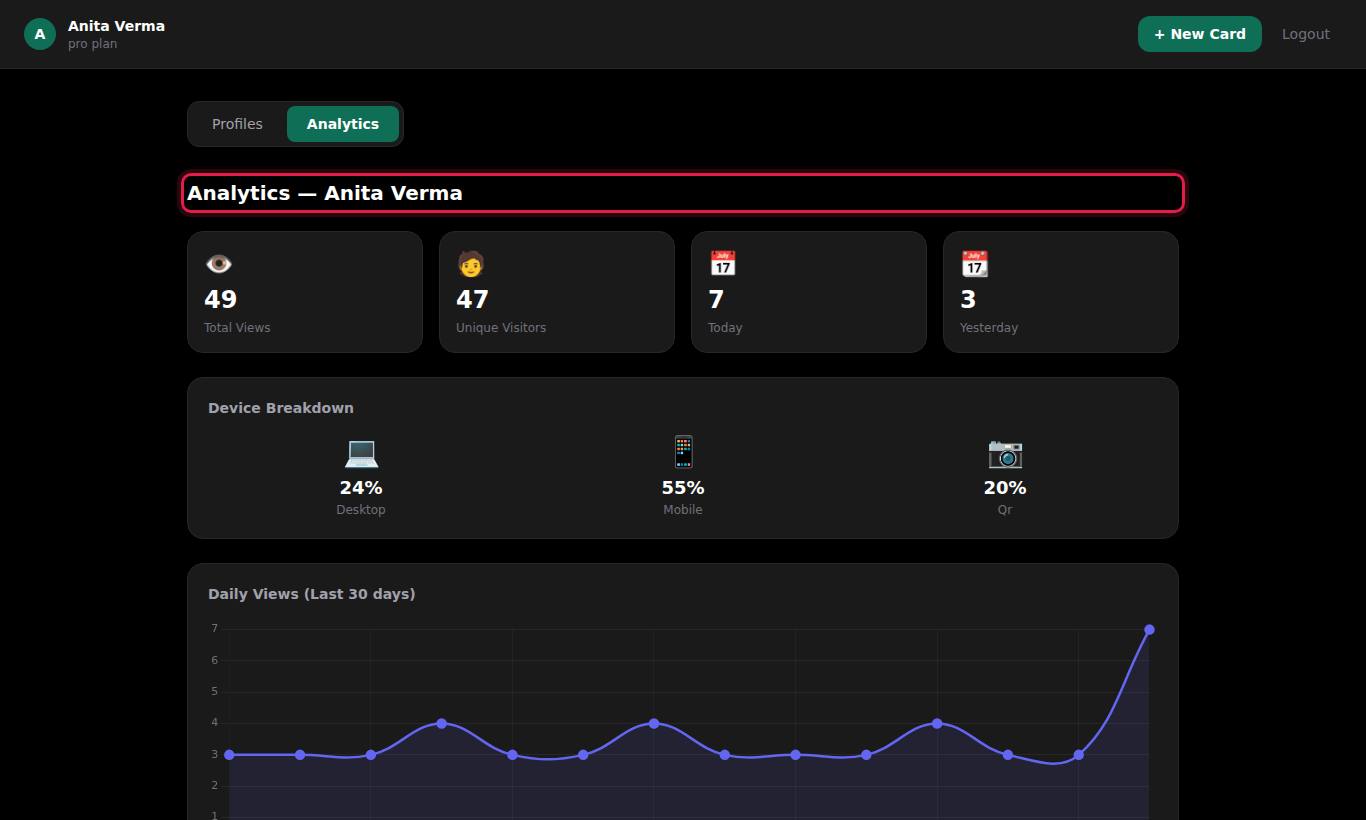
MJX Card counts every time your card is opened and shows the numbers on the Analytics tab of your dashboard: total views, unique visitors, today and yesterday, where the visits came from, a daily chart for the last 30 days, and your QR code.
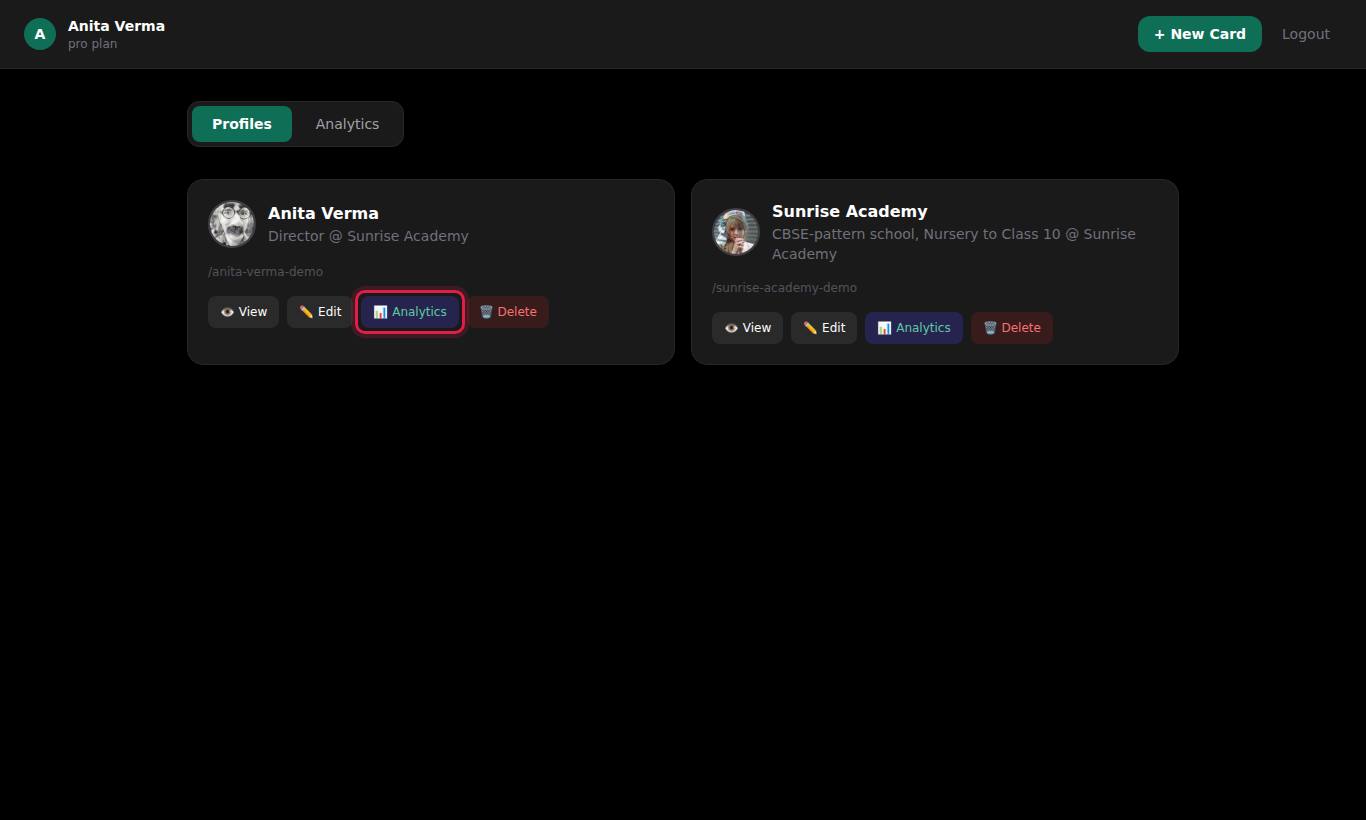
#How to open analytics for a card
- Sign in. Your dashboard opens on the Profiles tab.
- Press Analytics on the card you want.
- The Analytics tab opens with the heading "Analytics — Card name".
If you open the Analytics tab without choosing a card, you see "Select a profile to view analytics" and a Go to Profiles → link.
#What each number means
| Box or chart | What it shows |
|---|---|
| Total Views | Every time the card has been opened, since it was created |
| Unique Visitors | How many different internet (IP) addresses have opened it |
| Today | Views so far today |
| Yesterday | Views yesterday |
| Device Breakdown | The share of views from each source, as a percentage: mobile, desktop and qr (and tablet where a tablet is detected) |
| Daily Views (Last 30 days) | A line chart with one point per day that had views. Hover or tap a point to see "N views" |
| QR Code | Your card's QR code with ⬇ Download QR Code — see QR code |
The chart and device boxes appear once the card has some views.
#Where the "qr" number comes from
When someone scans the QR code you downloaded from the dashboard, the visit is recorded as qr instead of as a mobile or desktop view. So:
- qr = visits from your printed or shown QR code.
- mobile = visits from a link opened on a phone (WhatsApp, SMS, social media, NFC tag).
- desktop = visits from a computer.
This lets you see whether your printed QR codes are being used.
#What is not shown
- Who the visitors were — no names, numbers or IP addresses are ever shown.
- Which button they pressed (Call, WhatsApp, Save Contact). Only card opens are counted.
- Where they are (city or country).
- Leads or enquiries — MJX Card has no enquiry form.
#Reading the numbers well
- Compare Today and Yesterday after an event or a WhatsApp broadcast to see if it worked.
- Watch qr against mobile — if you printed QR codes but qr stays near zero, the code may be too small or badly placed.
- Unique Visitors lower than Total Views is normal: people come back to your card, or open it more than once.
- Counts depend on the visitor's browser loading the page. A link preview in WhatsApp does not count as a view; only actually opening the card does.
#Who can see analytics
Only the owner of the card. The server checks this, and anyone else gets "Not authorized". There is no shared or team view.
#Privacy
Each view stores the visitor's IP address, browser details, device type and time, so the counts can be worked out. Visitors' phones store nothing. See privacy and safety.
#Questions people ask
Can I see who viewed my card?
No. MJX Card shows counts only — total views, unique visitors, devices and a daily chart. It never shows names, phone numbers or IP addresses of visitors.
Do my own visits count?
Yes. Every time the card opens, a view is counted — including when you press View or Preview Card, and when the card opens after you save it.
How are unique visitors counted?
By internet (IP) address. Several people on the same Wi-Fi can count as one visitor, and one person on mobile data may count more than once.
How long is the analytics history kept?
For as long as the card exists. Deleting a card deletes its view history too.
Why are QR scans shown as a device?
A scan of the QR code downloaded from your dashboard is counted under "qr" instead of mobile or desktop, so you can see how many visits came from the QR code.