
Share your digital business card
Send your MJX Card link on WhatsApp, email or social media, use the Share Profile button, show the QR code, or write the link to an NFC tag.
Your MJX Card is a web link, so you can share it anywhere you can paste text — WhatsApp, SMS, email, social media — or in person with the QR code. The link is mjxcard.mjxtechnologies.com/<your-slug>.
#How to find your link
- On the Profiles tab of your dashboard, each card shows its slug as
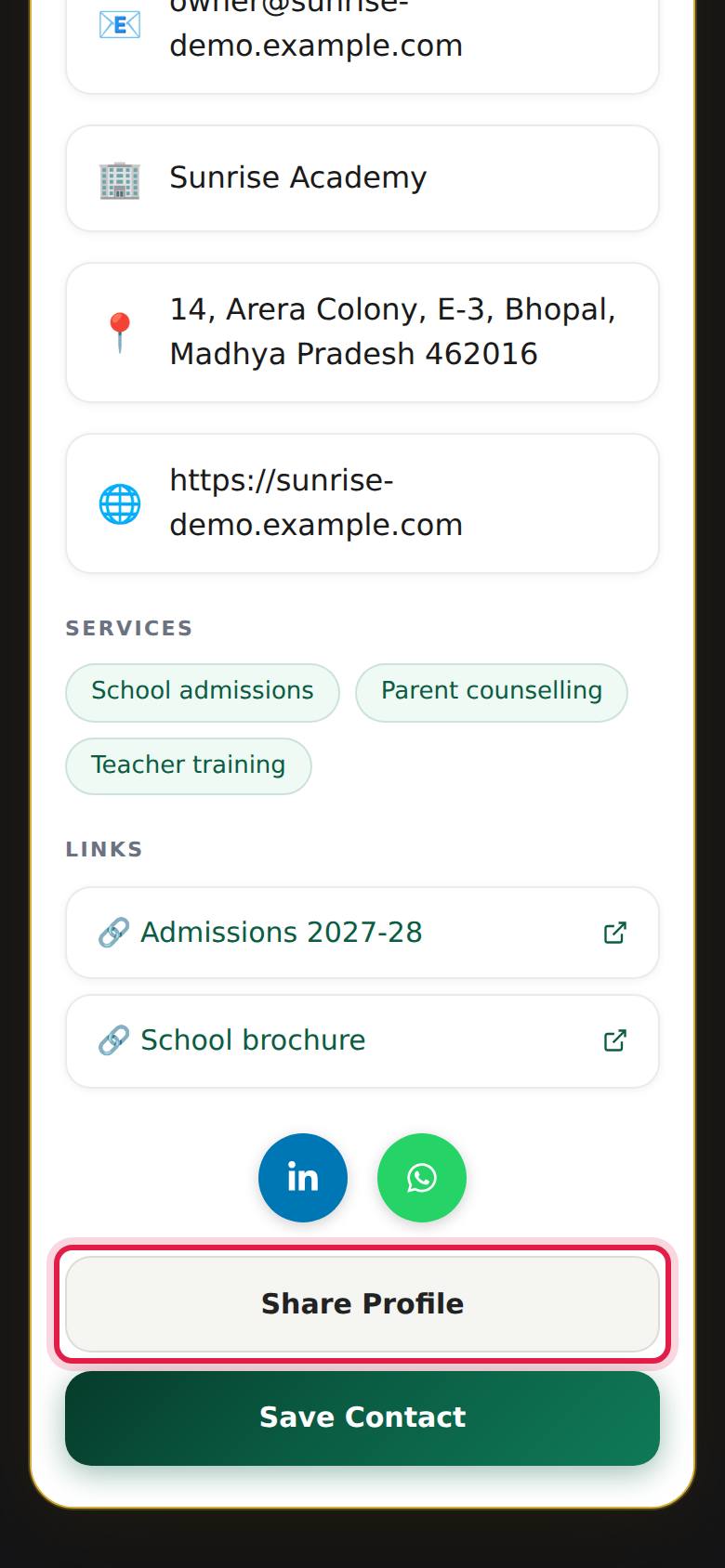
/your-slugunder the name. Your link ismjxcard.mjxtechnologies.com/your-slug. - Or press View on the card and use Share Profile at the bottom of the card.
#Steps to share with the Share Profile button
- Open your card on your phone (press View on the dashboard, or open your link).
- Scroll to the bottom and press Share Profile.
- Your phone's share menu opens. Pick WhatsApp, SMS, email or any other app.
- Choose the person or group and send.
On a computer, or a browser without a share menu, Share Profile copies the link and shows "Link copied!". Paste it wherever you need it.
Visitors see the same button, so anyone who has your card can pass it on.
#Ways to share
| Where | How |
|---|---|
| WhatsApp after a call or meeting | Use Share Profile or paste the link with a line like "Here is my contact card" |
| In person | Show the QR code on your phone, or a printed one — see QR code |
| Email signature | Add "My card: mjxcard.mjxtechnologies.com/your-slug" under your name |
| Social profiles | Paste the link in your bio on Instagram, LinkedIn or Facebook |
| WhatsApp Business | Put the link in your business profile's website field or in a quick reply |
| Printed material | Print the QR code on visiting cards, letterheads, banners, shop counters and brochures |
#Use your card with an NFC tag
MJX Card does not sell NFC cards or tags. If you already have an NFC card, sticker or keychain:
- Install any NFC writing app on an Android phone or iPhone that supports NFC writing.
- Choose to write a URL / link record.
- Enter your full card link,
https://mjxcard.mjxtechnologies.com/your-slug. - Hold the tag to the back of the phone to write it.
- Test it: tap the tag with another phone — your card should open.
#Tips
- Share the short link
mjxcard.mjxtechnologies.com/your-slug, not the/profile/your-slugaddress — it is shorter and is the one the QR code uses. - Before sharing widely, open the link yourself on a phone and check every button.
- After you edit the card there is no need to share it again. The same link shows the new details.
#Questions people ask
What is the best way to share my card?
Send the link on WhatsApp after a call or meeting, show the QR code in person, and put the link in your email signature and social profiles.
Can I use MJX Card with an NFC card?
Yes, if you already have an NFC tag or card. MJX Card does not sell them, but your card is an ordinary web link, so you can write it to any NFC tag with a free NFC writing app.
Can the people I share with pass my card on?
Yes. Every card has a Share Profile button that sends the link onwards from their phone.
Does the receiver need to install anything?
No. The card opens in the phone's browser.